How to draft an RFI in YakProject
When the drawings don't answer a question on site, an RFI puts it to the architect or engineer in writing, with a date you need the answer by. The log shows what's open and what's overdue.
Before you start
- Project manager or superintendent on the job
Preview voice Narrated with a local preview voice; the final recording replaces it.
Transcript
Put a question to the design team in writing, with a date you need the answer by.
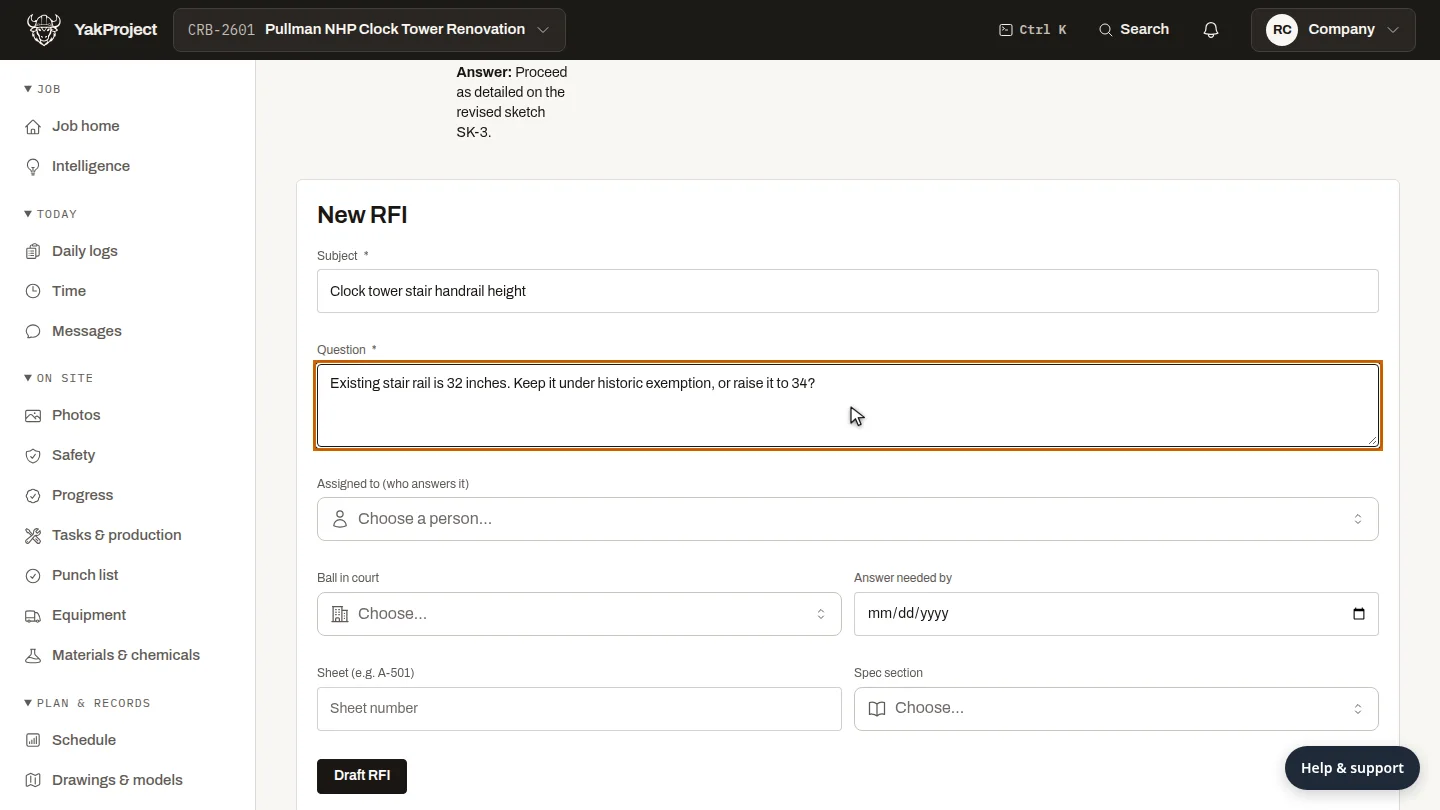
On RFIs and submittals, go to the New RFI form. Give it a subject the architect will recognise, and ask the question.
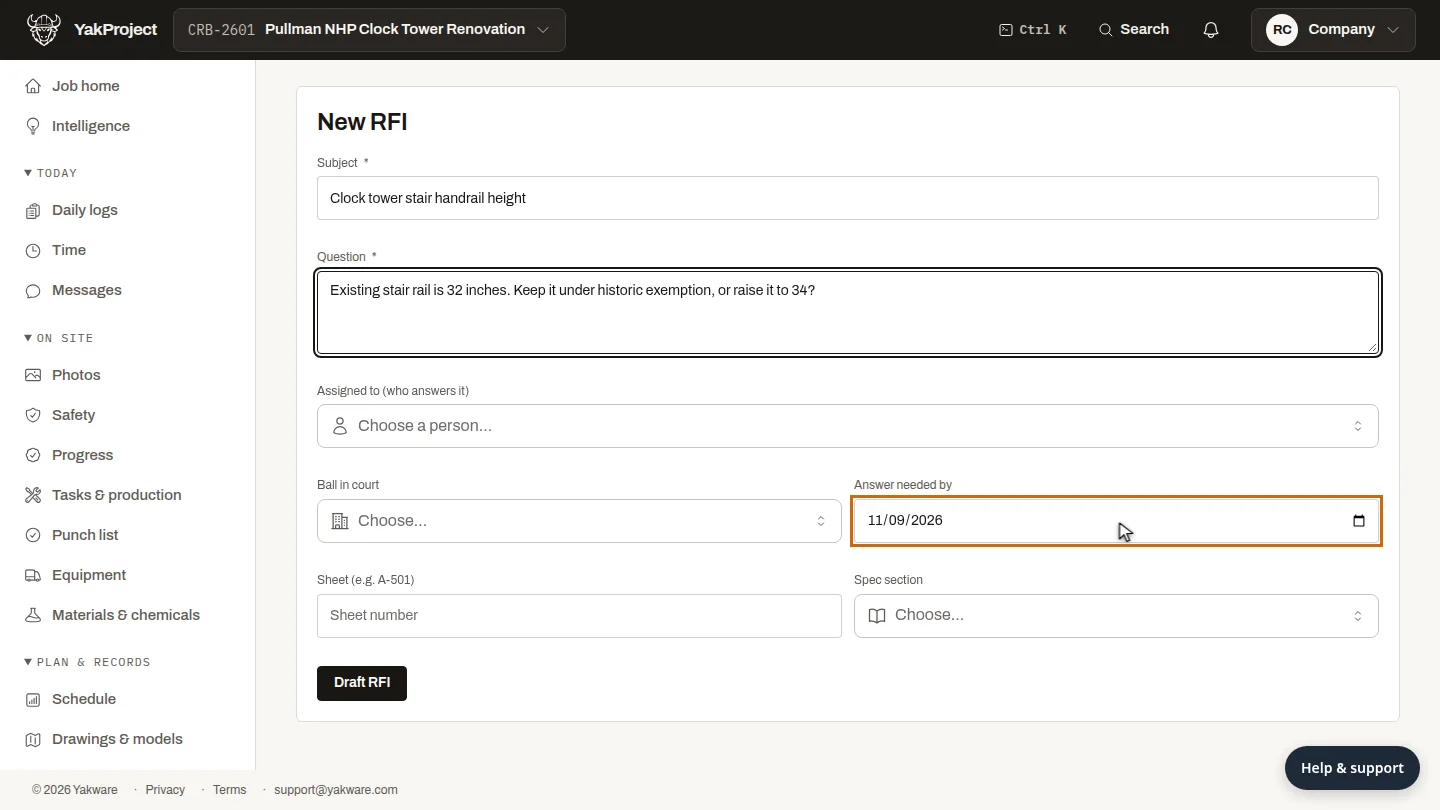
Set Answer needed by. If the date passes without an answer, the RFI is flagged as overdue in the log and on the job home page.
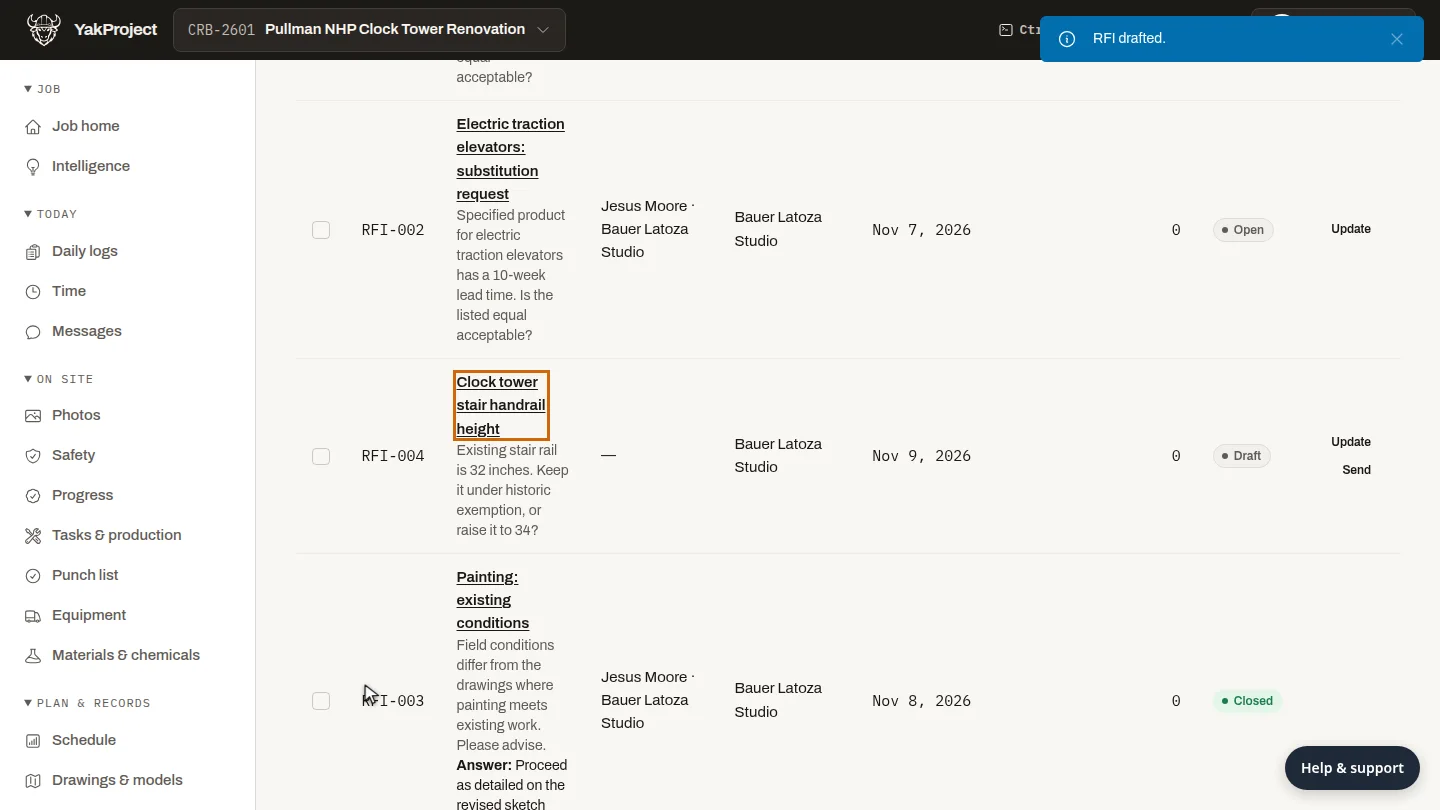
Select Draft RFI. It joins the RFI log as a draft with the next number. When it's ready to go, select Send on its row.
Steps
Write the question ▶ 0:07
On RFIs & submittals, in the New RFI form (or select New RFI), enter a Subject and the Question.
Set the answer date ▶ 0:15
Set Answer needed by.
Save the draft ▶ 0:25
Select Draft RFI. The RFI appears in the log as Draft; select Send on its row when it's ready.
Next steps
Updated 2026-10-26
request for information rfi log architect question submittals