How to create an API key in YakProject
Pull daily logs or time into a spreadsheet, BI tool or script with the YakProject API. A key acts as you, never with more access than you have, and only in the areas you choose.
Before you start
- A YakProject login with access to the jobs you want to read
Preview voice Narrated with a local preview voice; the final recording replaces it.
Transcript
Give a reporting tool read-only access to your daily logs.
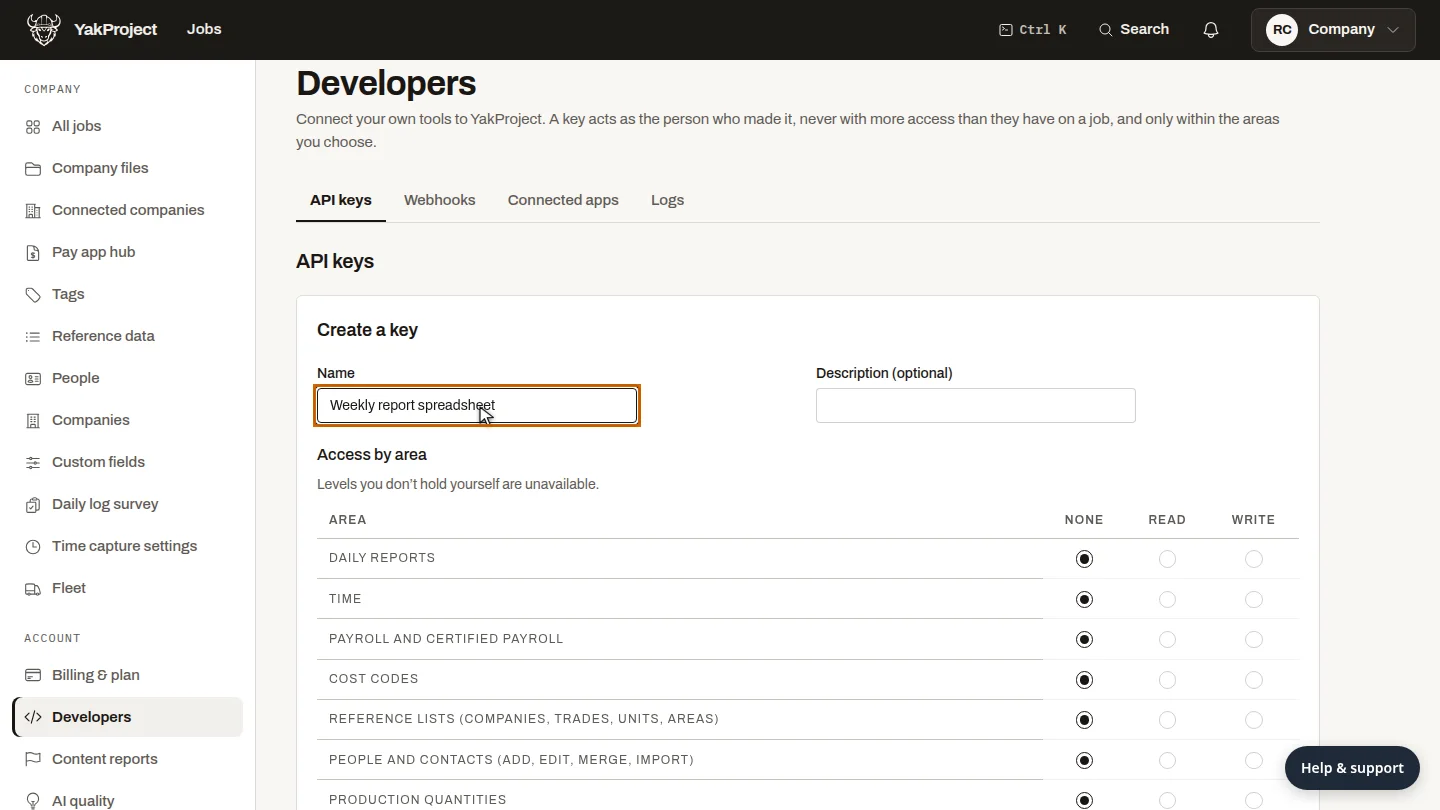
On Developers, select Create key, and name it after the tool that will use it, so you know which key to revoke later.
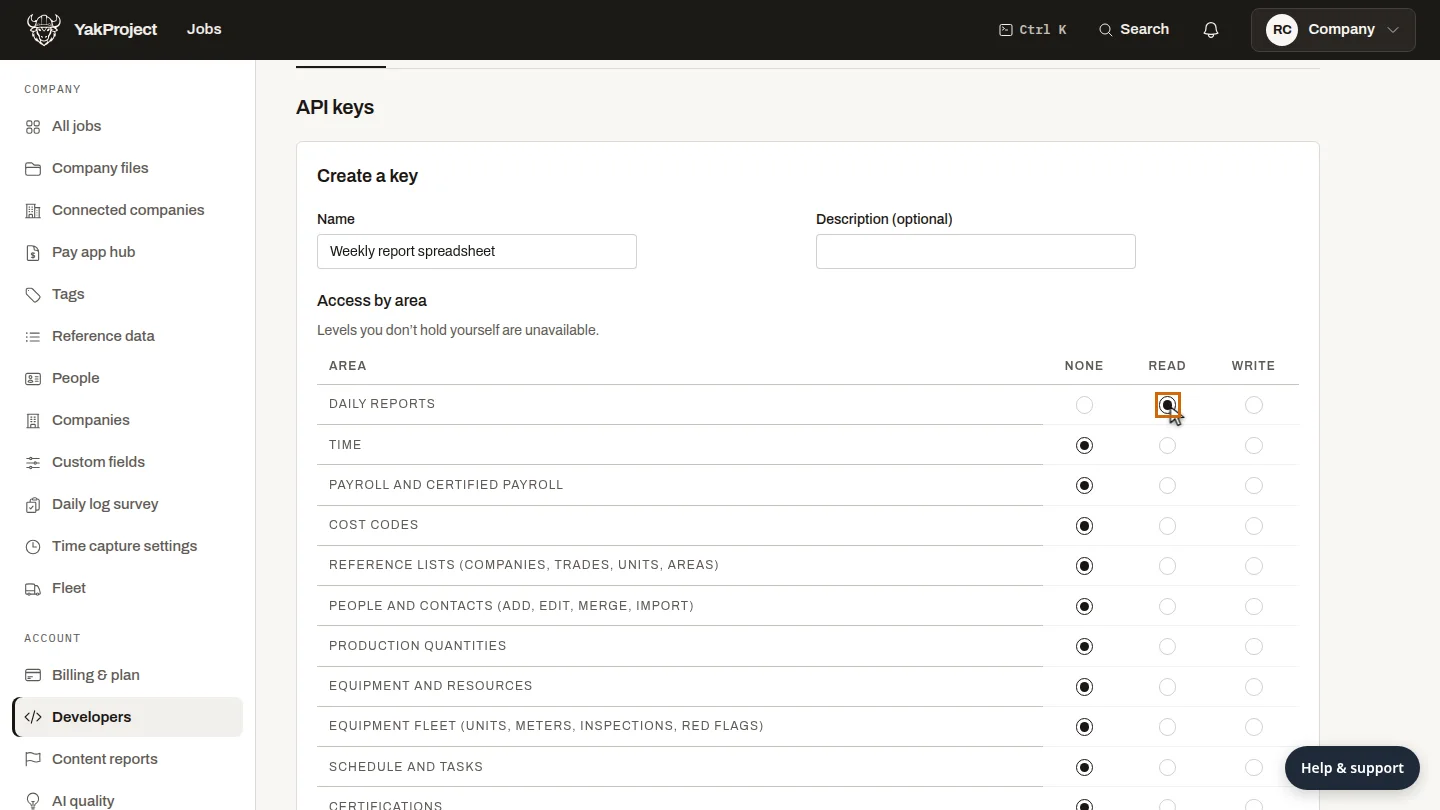
Every area starts at None. Set Daily reports to Read, and leave everything else at None, so the key can read logs but never change anything.
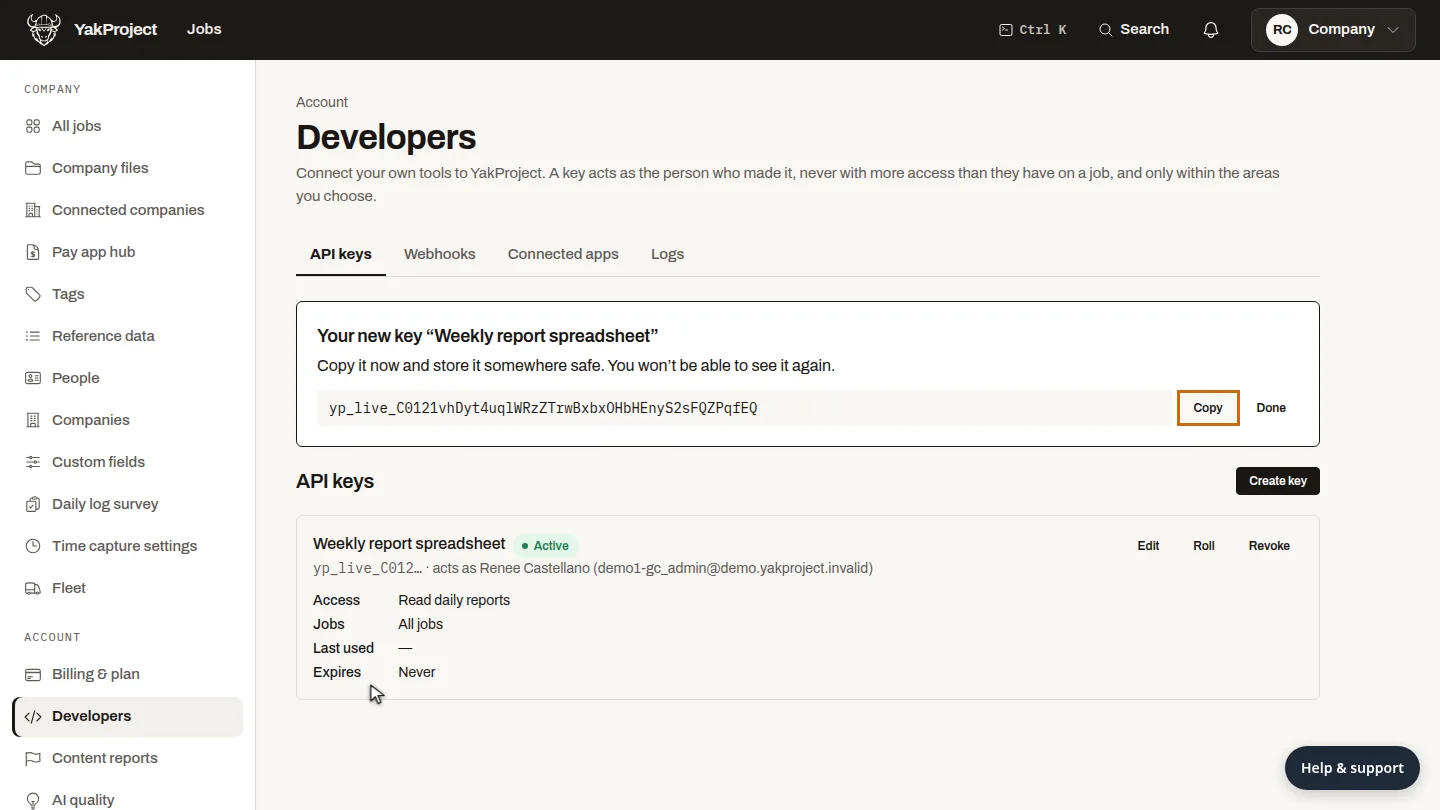
Create the key. YakProject shows it once, so copy it into your tool's secrets store now.
Steps
Name the key ▶ 0:05
On Developers, select Create key, then enter a Name.
Choose what it can read ▶ 0:14
Under access, set Daily reports to Read.
Create and copy it ▶ 0:24
Select Create key at the bottom of the form. Select Copy and store the key; it isn't shown again.
Updated 2026-10-26
api token rest api integration reporting api power bi