How to raise a punch item in YakProject
Unfinished or damaged work gets fixed when someone owns it and has a date. A punch item records what needs doing, who does it and by when, and stays open until it's closed with a photo.
Before you start
- A member of the job
Preview voice Narrated with a local preview voice; the final recording replaces it.
Transcript
Put a fix on the punch list, with an owner and a due date.
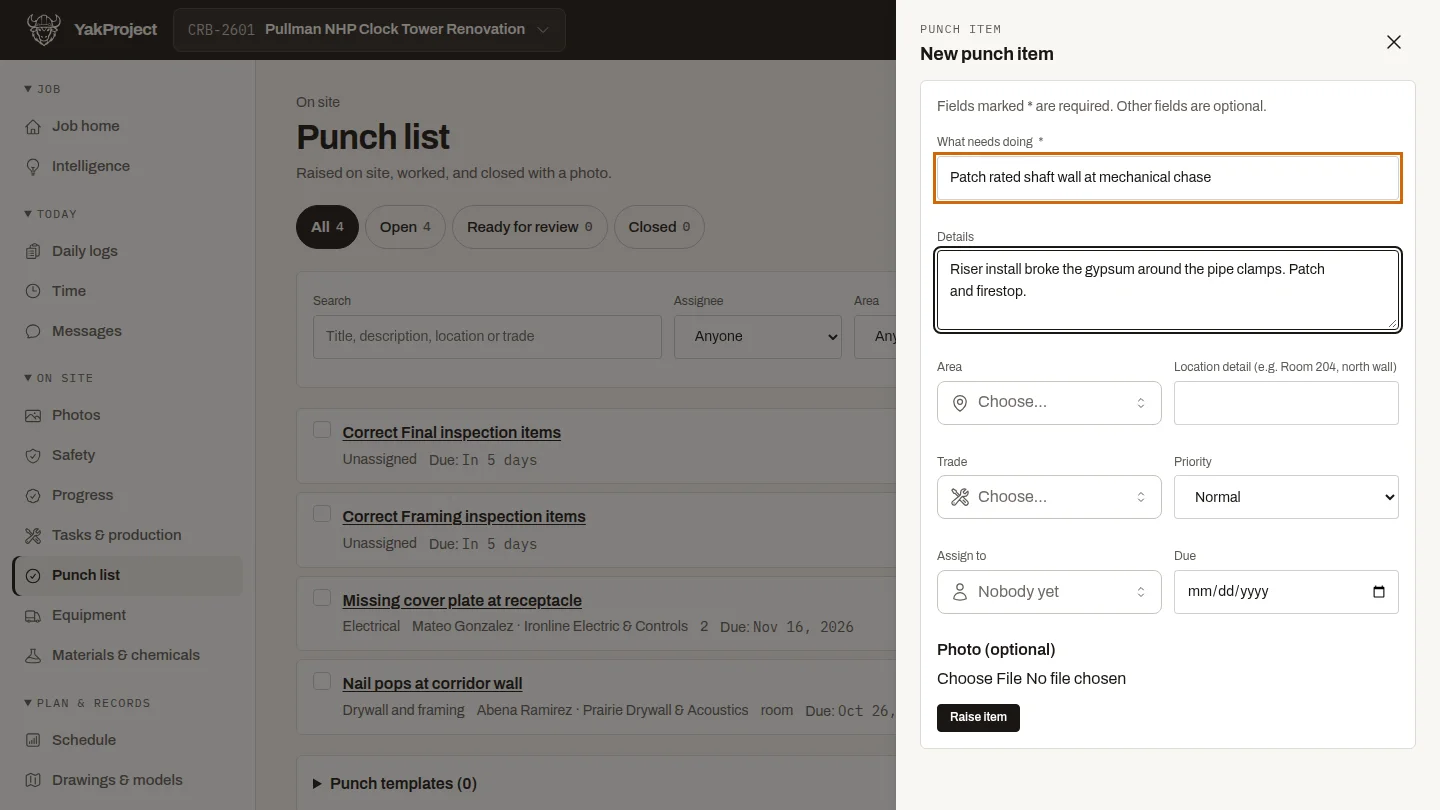
On the Punch list, select New punch item. Describe what needs doing in a few words, then add the details someone needs to fix it without asking.
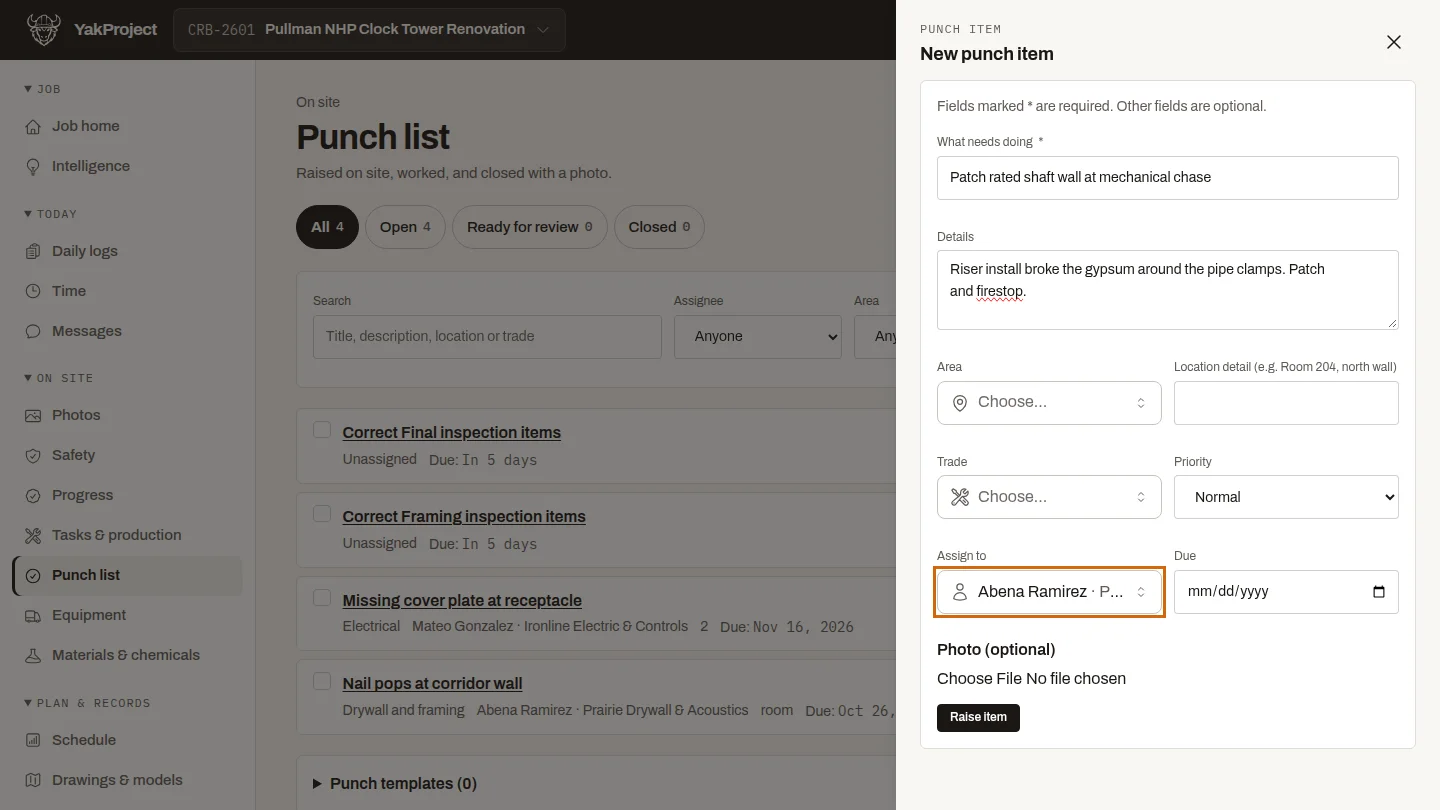
Under Assign to, search for the person who will fix it. Here it's Abena Ramirez from the drywall subcontractor. You can also set a due date, so the item shows as overdue if it slips.
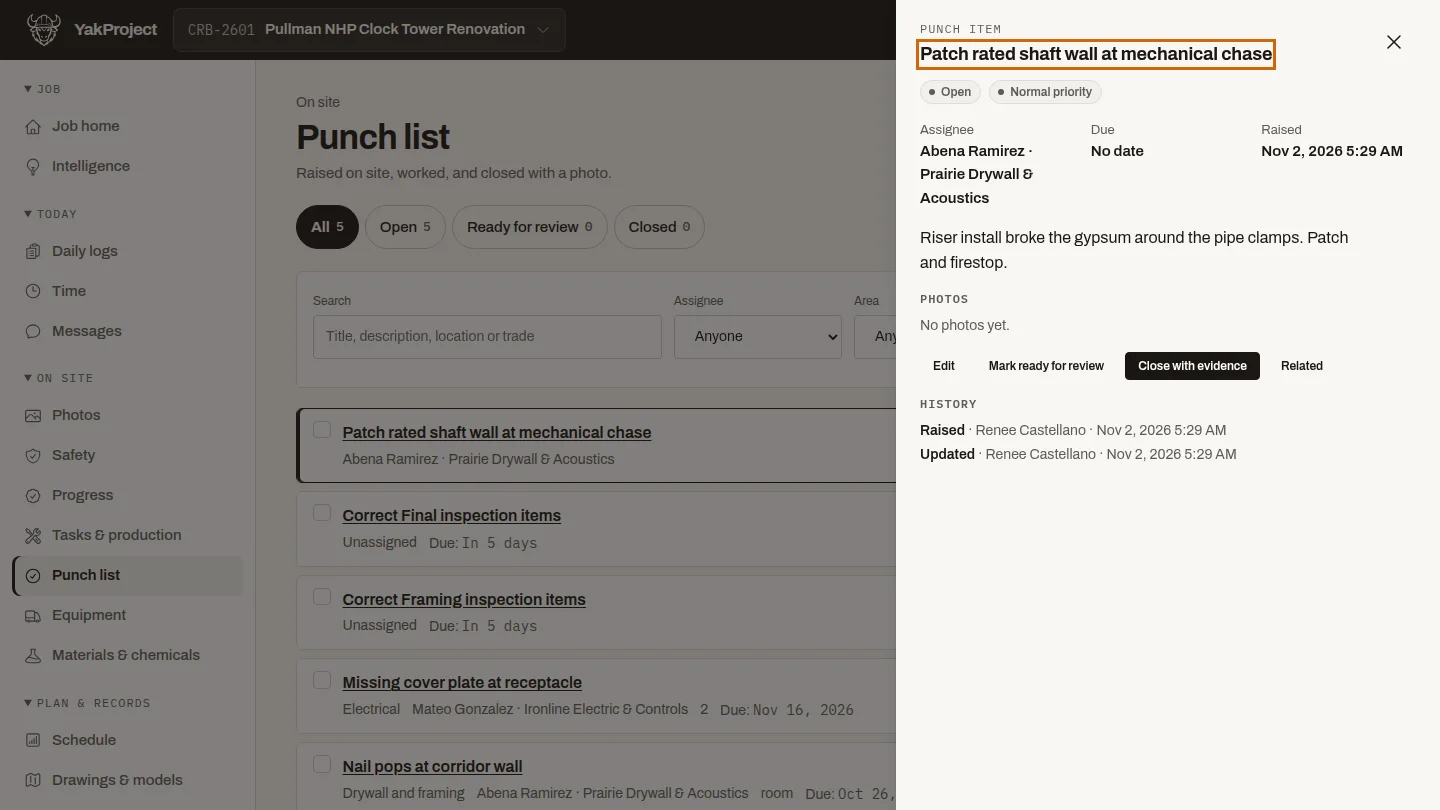
Select Raise item. The new item joins the punch list as Open, with the person it's assigned to.
Steps
Describe the work ▶ 0:05
On Punch list, select New punch item, then enter What needs doing and Details.
Assign it ▶ 0:16
For Assign to, search for and choose the person. Optional: set Due.
Raise it ▶ 0:29
Select Raise item. The item appears on the list as Open.
Next steps
Updated 2026-10-26
punch list snag list deficiency closeout items assign work