How to review a stock variance in YakProject
When a count, a gauge or a tank sensor disagrees with what the records say, YakProject opens a variance instead of changing the figure. Reviewing it records what was found, and only an accepted observation adjusts the stock.
Before you start
- A member who can reconcile inventory (project manager, superintendent or safety manager)
Preview voice Narrated with a local preview voice; the final recording replaces it.
Transcript
When a count disagrees with the records, settle the difference in YakProject, with the reason on file.
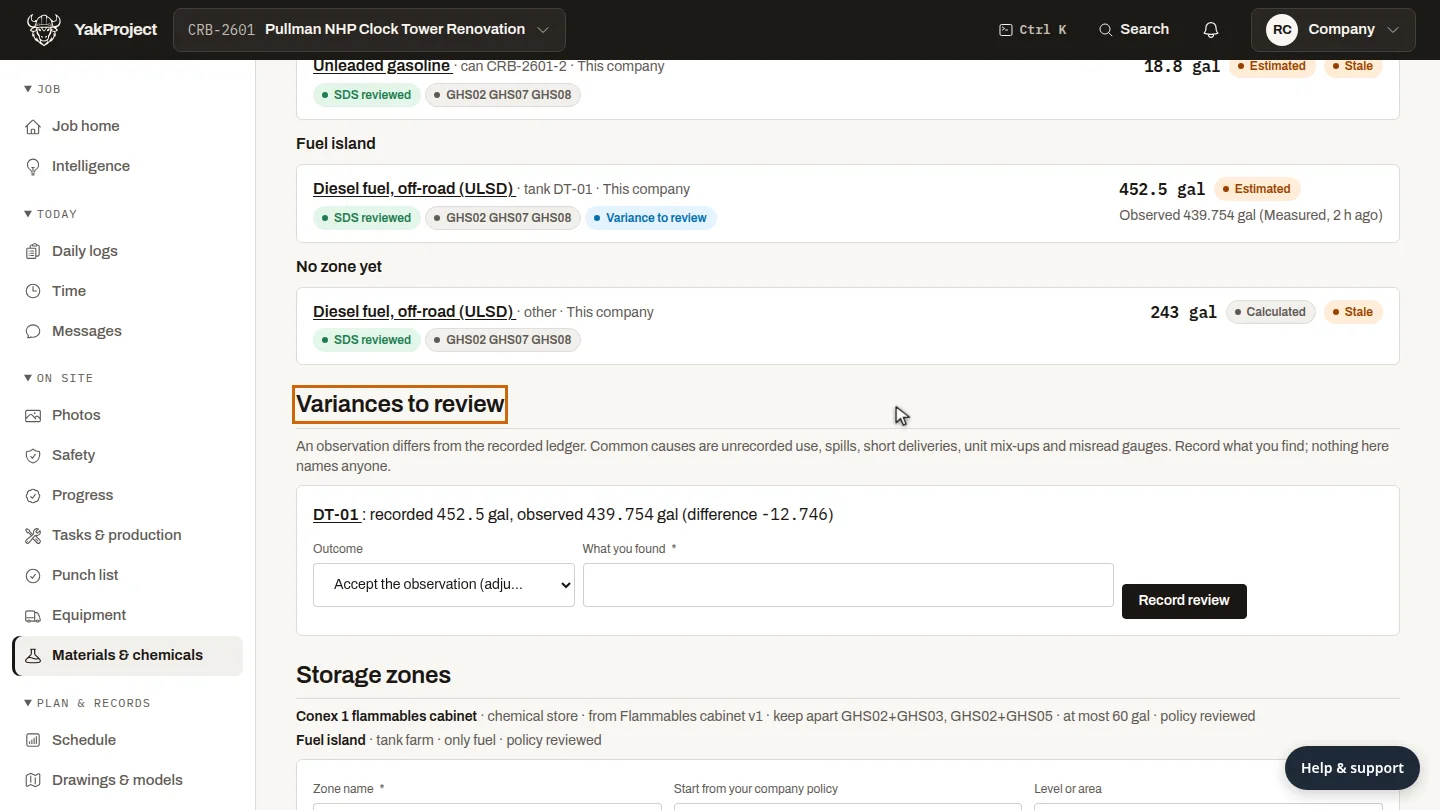
On the Register, go to Variances to review. Here, the diesel tank's sensor reads about thirteen gallons under the recorded figure.
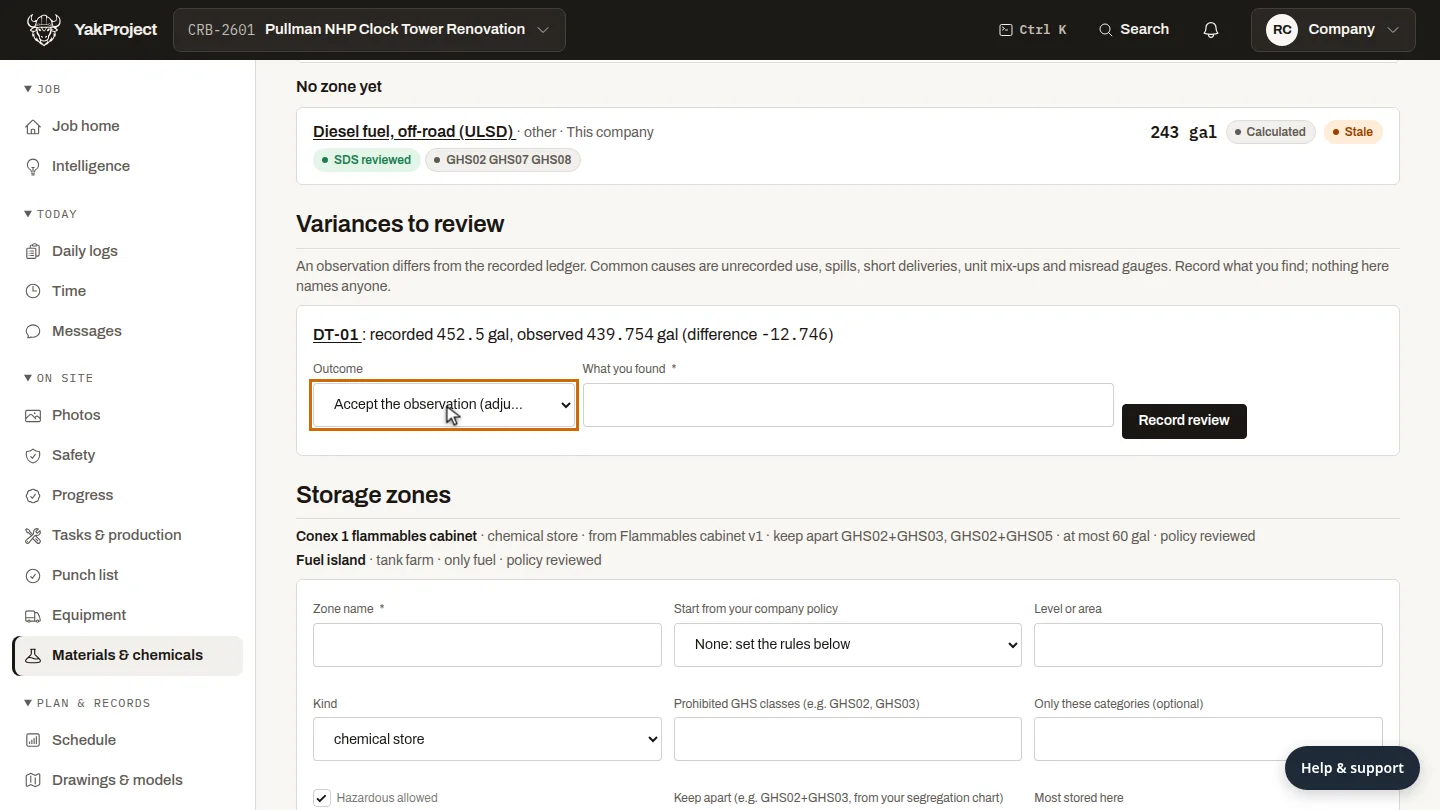
Choose the outcome: accept the observation to adjust the stock, keep the records if the gap is explained, or mark the observation wrong.
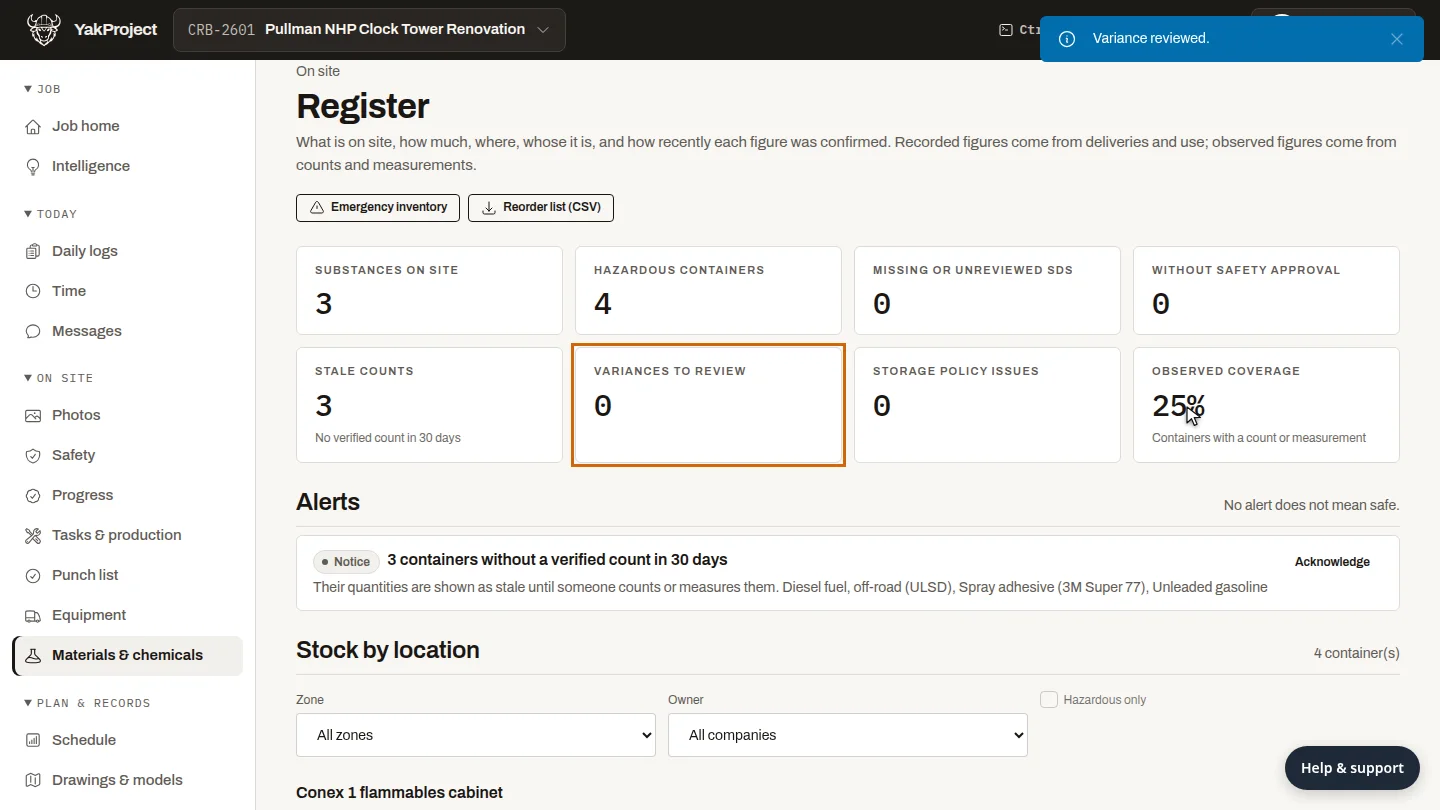
Under What you found, say what you checked, then select Record review. The variance closes, and Variances to review drops to zero.
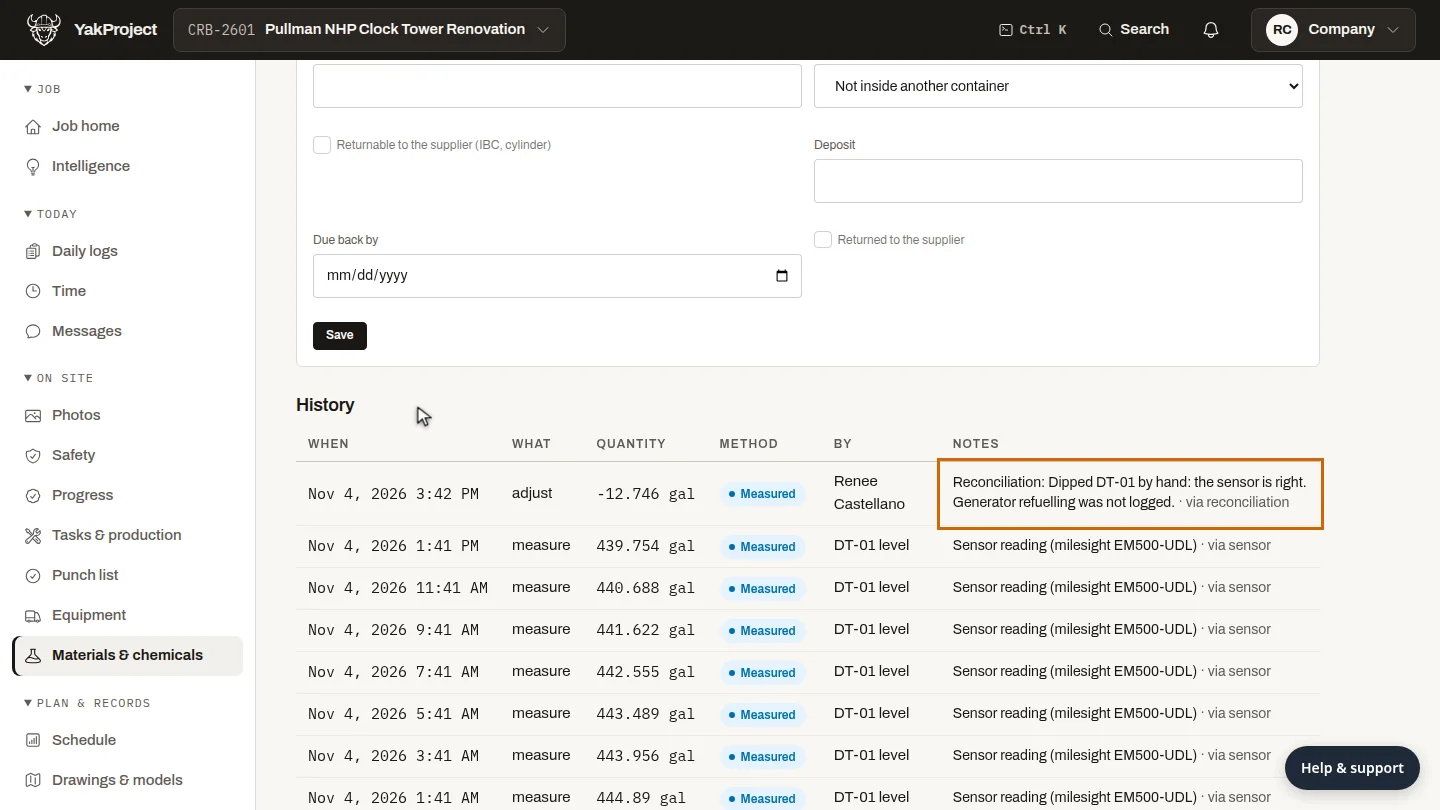
Open the tank to check. Its history now has an adjustment for the difference, with your note beside it.
Steps
Find the variance ▶ 0:08
In the sidebar, select Materials & chemicals. On Register, go to Variances to review. Each variance shows the recorded and observed figures and the difference.
Choose the outcome ▶ 0:18
For Outcome, choose Accept the observation (adjust the ledger), Keep the ledger (explained) or Observation was wrong.
Record what you found ▶ 0:28
Enter What you found, then select Record review. The variance closes and Variances to review goes down by one.
Check the tank's history ▶ 0:37
Under Stock by location, select the container. Its History shows the adjust entry with your note.
Next steps
Updated 2026-11-04
reconciliation variance stock adjustment count difference tank level