How to report a safety observation in YakProject
Near misses and unsafe conditions are warnings worth acting on. Recording them as safety cases puts them in front of the safety manager to triage, with corrective work tracked to a due date.
Before you start
- A member of the job
Preview voice Narrated with a local preview voice; the final recording replaces it.
Transcript
Report a near miss from the site, so it gets triaged and fixed.
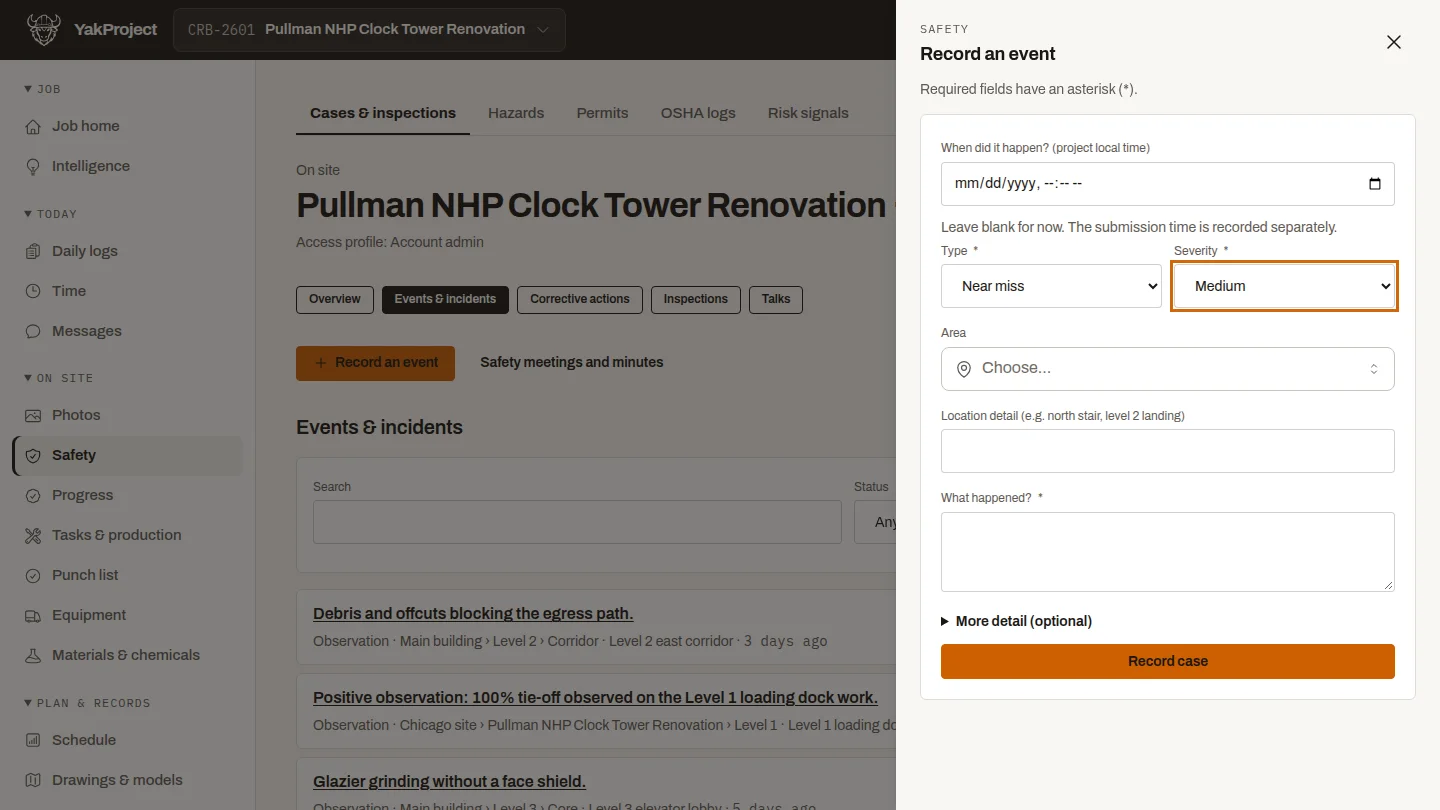
On the job's Safety page, open Record an event, and choose the type and severity. This one is a near miss.
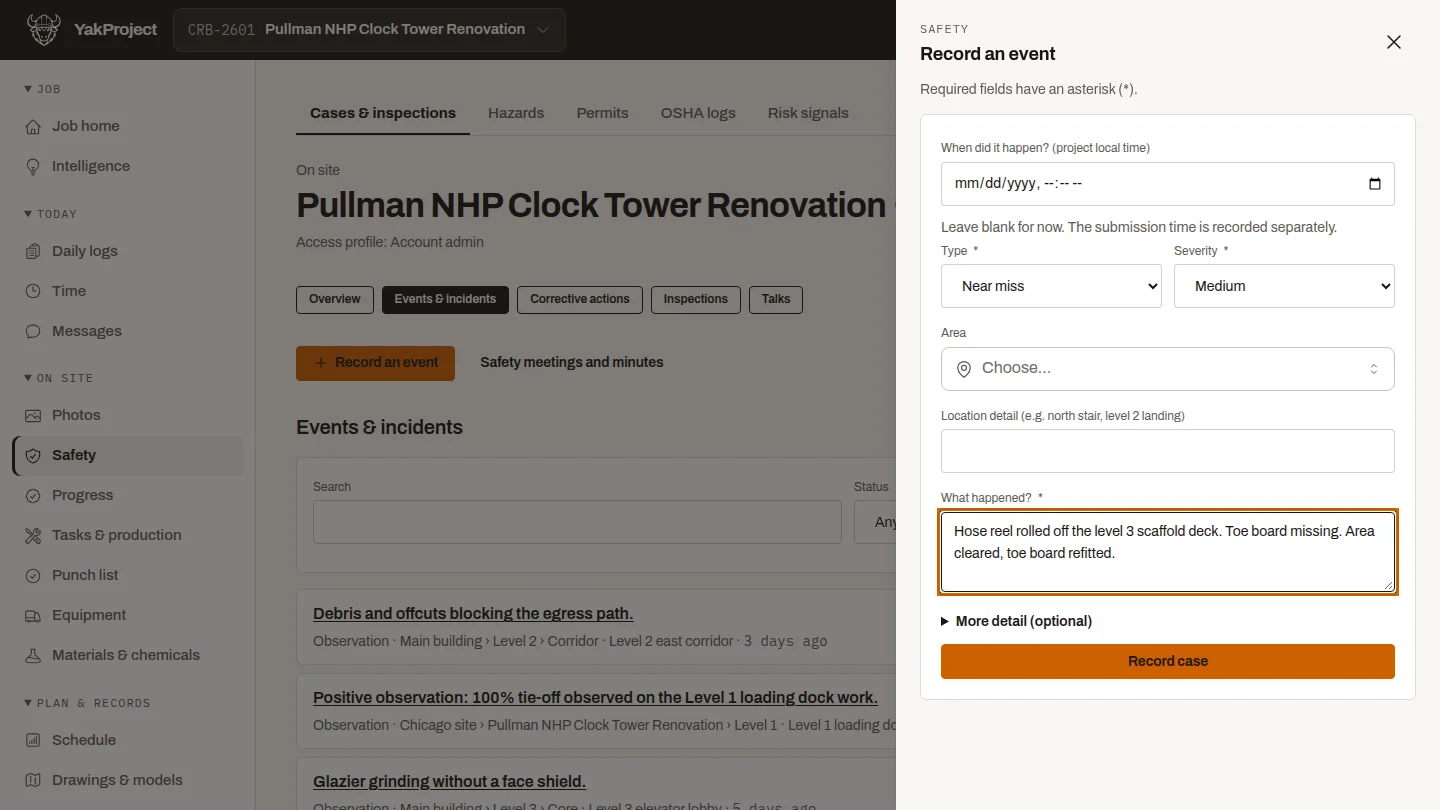
Under What happened, describe it plainly: where, what nearly happened, and what was done straight away.
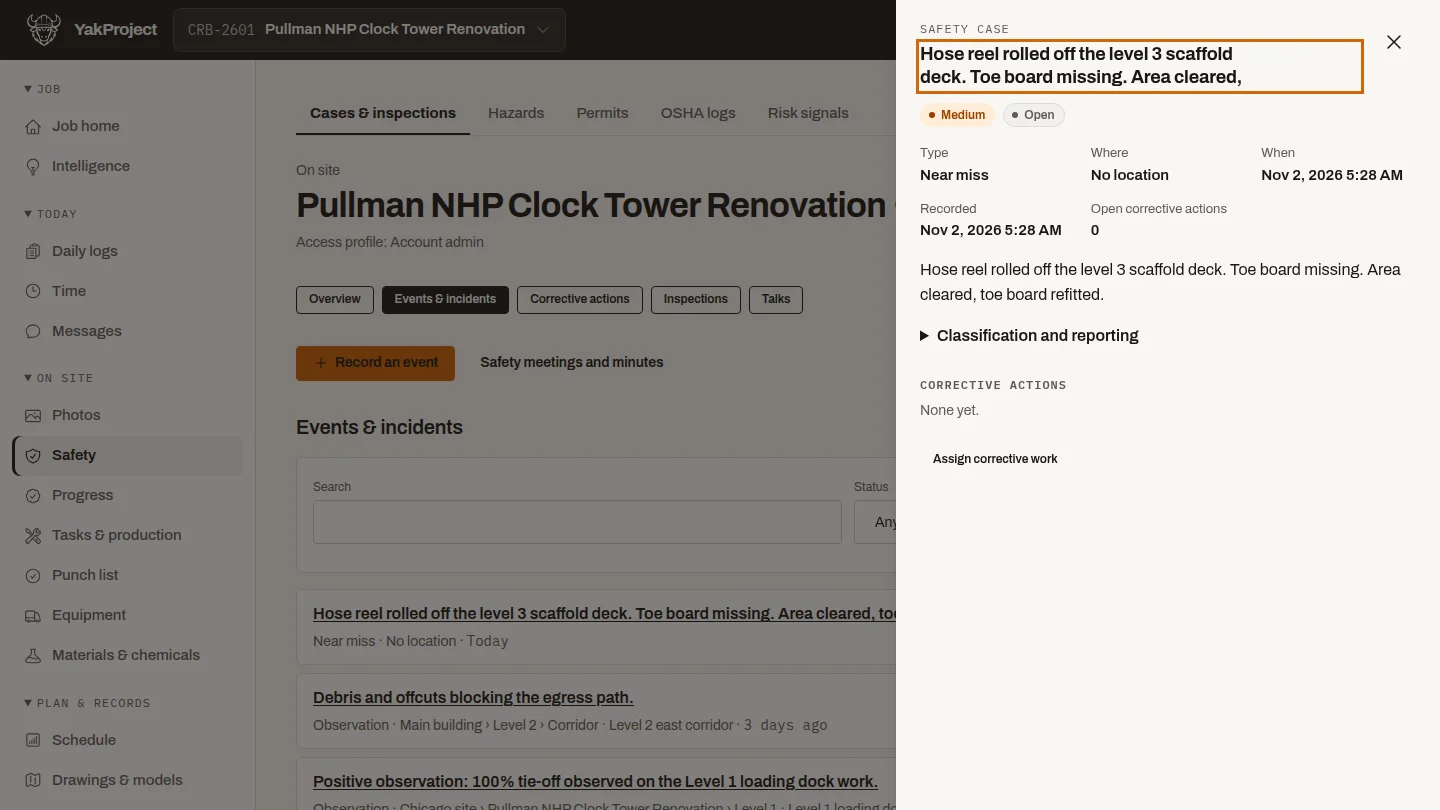
Select Record case. The near miss joins the open safety cases, where the safety manager triages it and assigns any corrective work.
Steps
Choose the type and severity ▶ 0:05
On Safety, open Record an event. Choose a Type and Severity.
Describe what happened ▶ 0:13
In What happened?, describe the event and any immediate action.
Record the case ▶ 0:21
Select Record case. The case appears under Open safety cases.
Next steps
Updated 2026-10-26
near miss report safety observation incident report hazard report jobsite safety