How to open a change event in YakProject
Extra work that isn't in the contract needs a paper trail before it's billed. A change event records what changed and its estimate, then follows it through the owner's decision to billing.
Before you start
- Project manager on the job
Preview voice Narrated with a local preview voice; the final recording replaces it.
Transcript
Start the paper trail for extra work, before it gets lost.
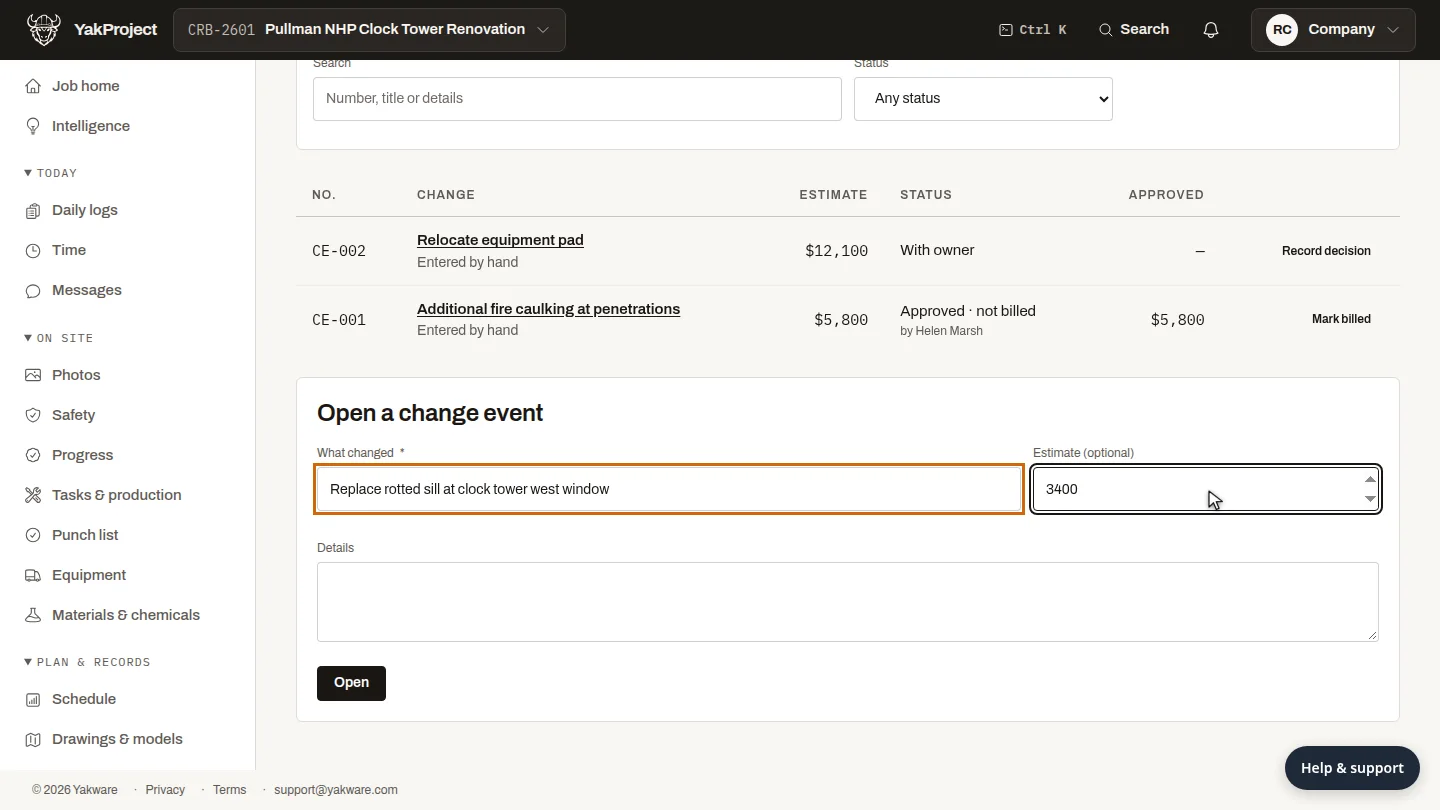
Under Open a change event, say what changed and add an estimate if you have one.
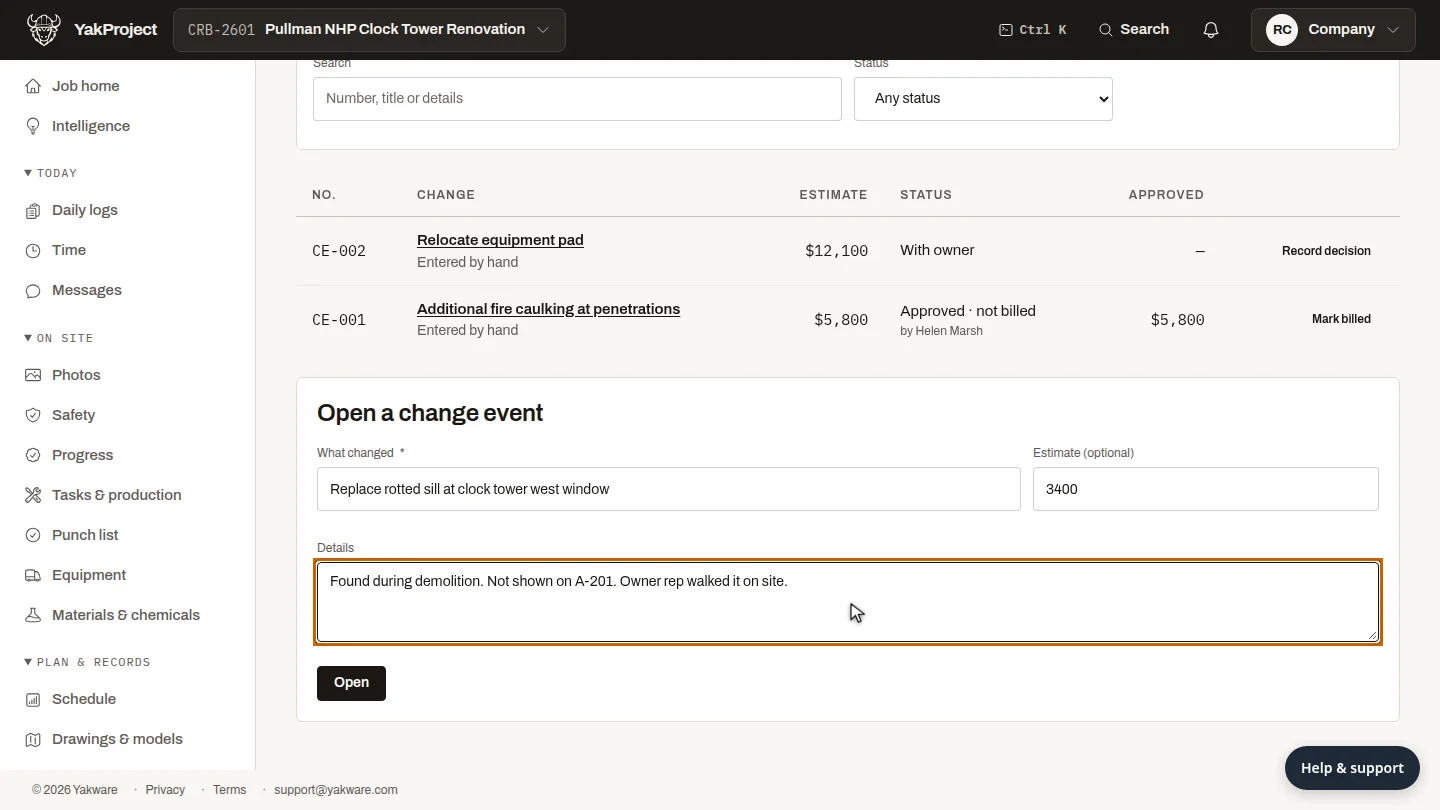
Under Details, note why it's extra: who found it, and what the contract drawings show, so the owner can see the reason later.
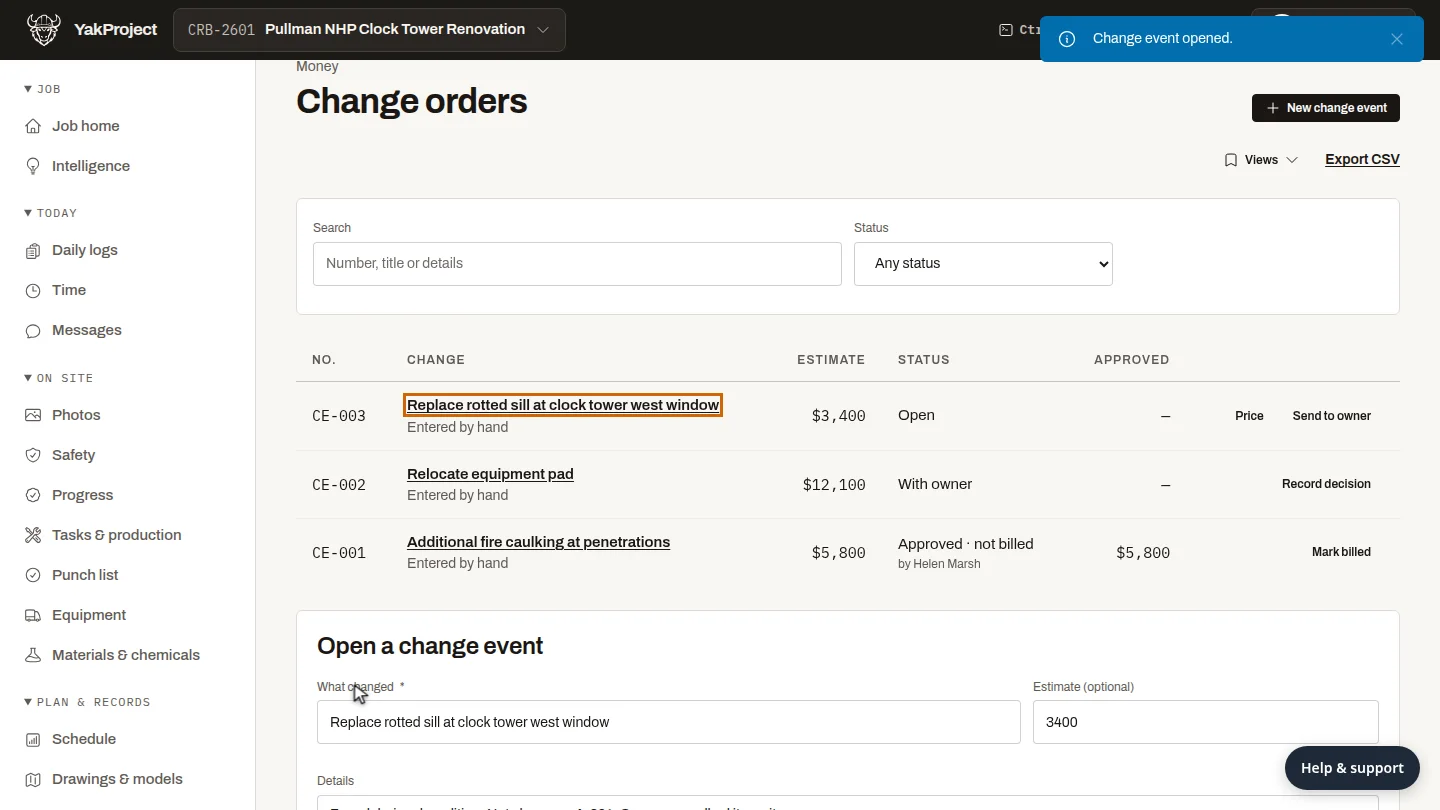
Select Open. The change event joins the list with the next number. When the owner decides, Record decision on its row tracks it through approval to billing.
Steps
Describe the change ▶ 0:05
Under Open a change event, enter What changed and an Estimate (optional).
Explain it ▶ 0:11
In Details, explain the change.
Open it ▶ 0:20
Select Open. The change event appears in the list.
Next steps
Updated 2026-10-26
change order change request extra work potential change order PCO