How to record a daily log in YakProject
The daily log is the job's record of who was on site and what got done. YakProject can fill the manpower section from the crew clock, so the superintendent adds the day's story instead of retyping headcounts.
Before you start
- Superintendent, foreman or manager on the job
Preview voice Narrated with a local preview voice; the final recording replaces it.
Transcript
Record today's daily log, with manpower filled in from the crew clock.
In Daily logs, today's tile says Due today. Select Start log to open a new log for today.
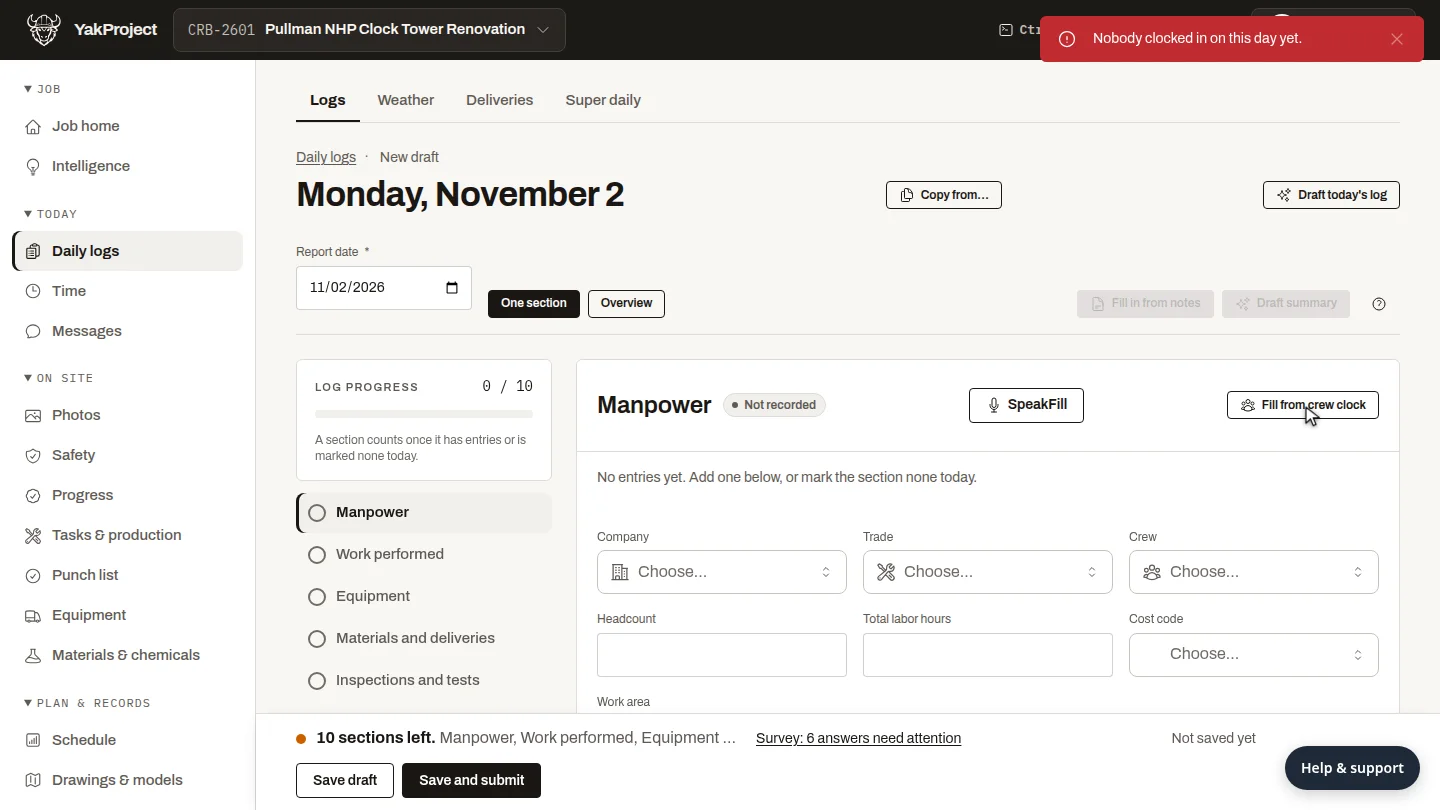
Select Fill from crew clock. YakProject adds a row for each crew on the clock today, with its headcount and labor hours.
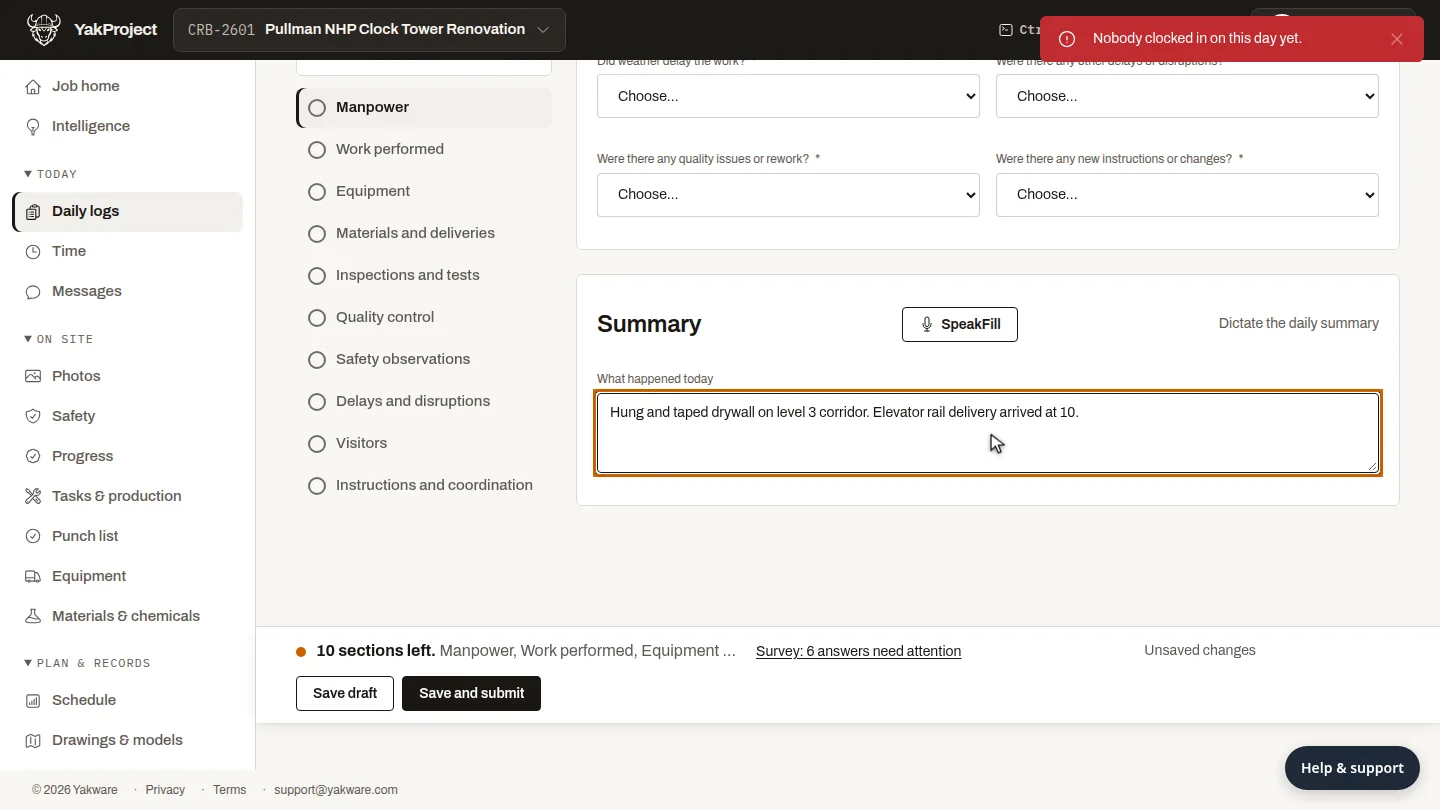
In What happened today, write a sentence or two about the day: the work done, and anything that held the crew up.
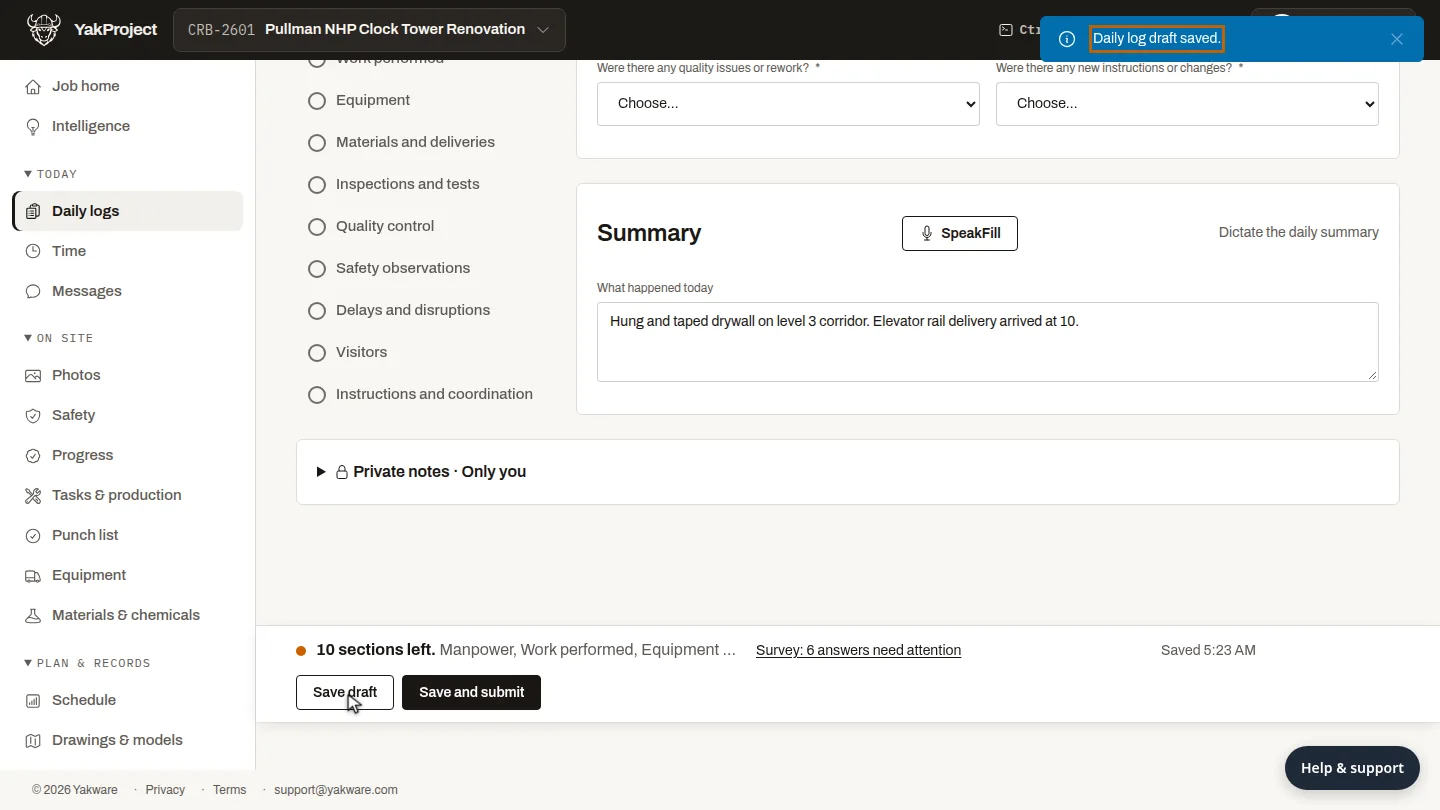
Select Save draft. The status bar confirms the log is saved, and you can finish the remaining sections later.
Steps
Start today's log ▶ 0:06
In Daily logs, on today's tile, select Start log.
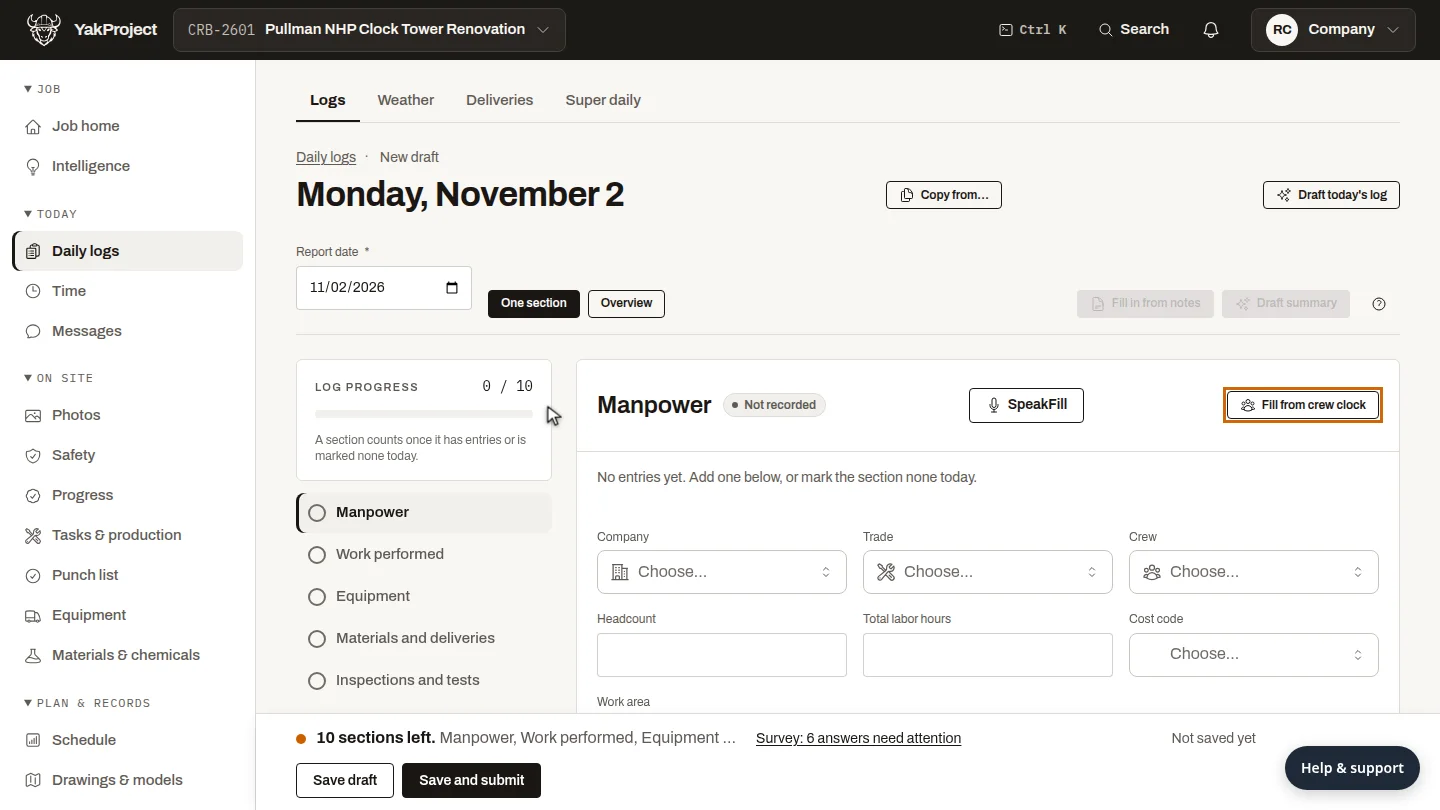
Fill manpower from the crew clock ▶ 0:13
In Manpower, select Fill from crew clock.
Describe the day ▶ 0:22
In What happened today, describe the day's work.
Save the draft ▶ 0:30
Select Save draft. Daily log draft saved. appears.
Next steps
Updated 2026-10-26
daily report field report site diary manpower log superintendent report